Java vs JavaScript: Which Should You Learn First? (2025 Comparison)
backend
14 min read
Java vs JavaScript: Which Should You Learn First? (2025 Comparison)
Java and JavaScript share a name but almost nothing else. Here's a side-by-side comparison of syntax, use cases, job markets, and salaries to help you pick the right one.
Published By: Nelson Djalo | Date: June 6, 2025 | Updated: April 5, 2026
Introduction
Java and JavaScript share a name and almost nothing else. Java is a statically typed, compiled language built for backend systems and enterprise apps. JavaScript is a dynamic, interpreted language that started in the browser and now runs everywhere thanks to Node.js.
If you're trying to figure out which one to learn first - or which one fits your project - this breakdown covers the real differences, with code examples so you can see them side by side.
Table of Contents
- What's the Big Difference?
- Key Differences Explained
- When to Use Each Language
- Code Examples: A Detailed Comparison
- Common Pitfalls and Best Practices
- Performance Considerations
- Career and Learning Path Considerations
- Frequently Asked Questions
- 1. Can I use Java and JavaScript together?
- 2. Which language pays more: Java or JavaScript?
- 3. Is JavaScript easier to learn than Java?
- 4. Should I learn TypeScript instead of JavaScript?
- 5. Can Java replace JavaScript?
- 6. Which language has better job security?
- 7. How do I choose which language to learn first?
- Conclusion
What's the Big Difference?
Let's start with the most fundamental distinction: Java is a compiled language, while JavaScript is interpreted. This single difference has profound implications for how each language works, performs, and is used in practice.
Compilation vs Interpretation
Java follows a traditional compilation model where your source code is compiled into bytecode that runs on the Java Virtual Machine (JVM). This compilation step happens before execution, which means the compiler catches many errors before your program even runs. The JVM then interprets this bytecode, providing platform independence - the same Java code can run on Windows, macOS, Linux, or any other platform that has a JVM.
JavaScript is an interpreted language that's executed line-by-line by the JavaScript engine in your browser or Node.js runtime. There's no separate compilation step; the code is parsed and executed directly. This makes JavaScript more flexible and faster to develop with, but it also means that many errors are only discovered at runtime.
Here's a quick analogy: Java is like building a skyscraper with detailed blueprints, building permits, and inspections at every step. The process is thorough and structured, but it takes time to get started. JavaScript is more like assembling a treehouse - fast, adaptable, and creative, but with fewer guardrails and safety checks.
Historical Context
Understanding the history of these languages helps explain their different design philosophies:
Java was created by Sun Microsystems in 1995 as a language for building robust, portable applications. It was designed with enterprise software in mind, emphasizing security, reliability, and maintainability. The "Write Once, Run Anywhere" philosophy made it perfect for large organizations that needed to deploy applications across different platforms.
JavaScript was created by Brendan Eich at Netscape in just 10 days in 1995 as a simple scripting language for adding interactivity to web pages. It was originally called "LiveScript" and was designed to be easy to use for web designers who weren't necessarily programmers. The language has evolved dramatically since then, but its roots in web development and its focus on ease of use remain.
Key Differences Explained
1. Typing: Static vs Dynamic
One of the most significant differences between Java and JavaScript is how they handle data types.
Java enforces static typing at compile-time:
String name = "Alice"; // Compiler knows 'name' is a String
int age = 30;          // 'age' is forever an int

// This would cause a compilation error:
// name = 30; // Cannot assign int to String
The Java compiler checks types before your program runs, catching many potential errors early. This makes Java code more predictable and easier to refactor, especially in large codebases.
JavaScript uses dynamic typing:
let name = "Alice"; // Could be a string now...
name = 30;          // ...and a number later. No complaints!
name = true;        // ...and a boolean. Still no problem!
name = {firstName: "Alice", lastName: "Smith"}; // ...and an object!
JavaScript allows variables to hold different types of data at different times. This flexibility makes prototyping faster and allows for more creative programming patterns, but it can also lead to runtime errors that are harder to debug.
2. Execution Environment
The environments where these languages run have evolved significantly over time.
Java's execution environment:
- Originally designed to run on the JVM, which can be installed on any operating system
- Used for server-side applications, desktop applications, Android mobile apps, and embedded systems
- Requires the JVM to be installed on the target machine
- Excellent for long-running applications and high-performance computing
JavaScript's execution environment:
- Originally designed to run in web browsers
- With Node.js, can now run on servers and desktop applications
- Can run on any device with a web browser (no installation required)
- Perfect for web applications and real-time communication
3. Concurrency and Asynchronous Programming
How these languages handle multiple tasks simultaneously is fundamentally different.
Java's approach to concurrency:
- Uses threads for parallel execution
- Excellent for CPU-intensive tasks that can be broken down into parallel operations
- Provides sophisticated thread management and synchronization primitives
- Can be complex to implement correctly, with potential for race conditions and deadlocks
// Java thread example
public class MyThread extends Thread {
    public void run() {
        for (int i = 0; i < 5; i++) {
            System.out.println("Thread: " + i);
            try {
                Thread.sleep(1000);
            } catch (InterruptedException e) {
                e.printStackTrace();
            }
        }
    }
}

// Usage
MyThread thread = new MyThread();
thread.start();
JavaScript's approach to concurrency:
- Uses an event loop and non-blocking I/O
- Single-threaded but highly efficient for I/O-bound tasks
- Uses callbacks, promises, and async/await for asynchronous operations
- Perfect for handling multiple HTTP requests, file operations, and database queries
// JavaScript async example
async function fetchUserData(userId) {
    try {
        const response = await fetch(`/api/users/${userId}`);
        const user = await response.json();
        return user;
    } catch (error) {
        console.error('Error fetching user:', error);
    }
}

// Usage
fetchUserData(123).then(user => console.log(user));
4. Ecosystem and Libraries
Both languages have rich ecosystems, but they serve different purposes and follow different patterns.
Java ecosystem:
- Enterprise-focused with frameworks like Spring Boot, Hibernate, and Apache Struts
- Build tools like Maven and Gradle for dependency management
- Strong emphasis on design patterns and software architecture
- Excellent for building large, maintainable applications
JavaScript ecosystem:
- Web-focused with frameworks like React, Angular, and Vue.js
- Package managers like npm and yarn for dependency management
- Rapidly evolving with new tools and frameworks appearing frequently
- Excellent for building interactive user interfaces and real-time applications
When to Use Each Language
Choose Java If…
You're building high-performance backend systems: Java's static typing, compiled nature, and mature ecosystem make it ideal for building robust, scalable backend applications. The Spring Boot framework provides excellent tools for building REST APIs, microservices, and enterprise applications.
You need strong typing and compile-time error checking: For large codebases where reliability is crucial, Java's static typing helps catch errors before they reach production. This is especially important in financial, healthcare, and other critical applications.
You're developing Android applications: Android development is primarily done in Java (or Kotlin, which runs on the JVM). If you're interested in mobile development, Java is essential.
You're working in enterprise environments: Many large organizations have standardized on Java for their backend systems. The language's maturity, extensive documentation, and large community make it a safe choice for enterprise projects.
You need excellent tooling and IDE support: Java has some of the best development tools available, including IntelliJ IDEA, Eclipse, and NetBeans. These IDEs provide excellent debugging, refactoring, and code analysis capabilities.
Choose JavaScript If…
You're building interactive web applications: JavaScript is the language of the web. If you're building user interfaces, interactive features, or single-page applications, JavaScript (or TypeScript) is essential.
You want rapid prototyping and development: JavaScript's dynamic nature and extensive ecosystem of libraries make it excellent for quickly building and iterating on ideas. You can go from concept to working prototype very quickly.
You're working with modern web technologies: Frameworks like React, Angular, and Vue.js have made JavaScript the dominant language for modern web development. If you're building web applications, you'll need to know JavaScript.
You want to use Node.js for server-side development: Node.js has made JavaScript a viable option for backend development. It's particularly well-suited for real-time applications, APIs, and microservices.
You're interested in full-stack development: Using JavaScript for both frontend and backend (with Node.js) allows you to use the same language throughout your application stack, which can improve development efficiency.
Code Examples: A Detailed Comparison
Let's look at how the same functionality would be implemented in both languages to better understand their differences.
Building a Simple REST API
Java with Spring Boot:
@RestController
@RequestMapping("/api/users")
public class UserController {

    private final UserService userService;

    public UserController(UserService userService) {
        this.userService = userService;
    }

    @GetMapping("/{id}")
    public ResponseEntity<User> getUser(@PathVariable Long id) {
        try {
            User user = userService.findById(id);
            return ResponseEntity.ok(user);
        } catch (UserNotFoundException e) {
            return ResponseEntity.notFound().build();
        }
    }

    @PostMapping
    public ResponseEntity<User> createUser(@Valid @RequestBody UserCreateRequest request) {
        User newUser = userService.createUser(request);
        return ResponseEntity.status(HttpStatus.CREATED).body(newUser);
    }
}

@Service
public class UserService {

    private final UserRepository userRepository;

    public UserService(UserRepository userRepository) {
        this.userRepository = userRepository;
    }

    public User findById(Long id) {
        return userRepository.findById(id)
            .orElseThrow(() -> new UserNotFoundException("User not found with id: " + id));
    }

    public User createUser(UserCreateRequest request) {
        User user = new User();
        user.setName(request.getName());
        user.setEmail(request.getEmail());
        return userRepository.save(user);
    }
}
JavaScript with Express.js:
const express = require('express');
const app = express();

app.use(express.json());

// In-memory storage for simplicity
let users = [];
let nextId = 1;

// GET user by ID
app.get('/api/users/:id', (req, res) => {
    const userId = parseInt(req.params.id);
    const user = users.find(u => u.id === userId);

    if (!user) {
        return res.status(404).json({ error: 'User not found' });
    }

    res.json(user);
});

// POST create new user
app.post('/api/users', (req, res) => {
    const { name, email } = req.body;

    if (!name || !email) {
        return res.status(400).json({ error: 'Name and email are required' });
    }

    const newUser = {
        id: nextId++,
        name,
        email,
        createdAt: new Date()
    };

    users.push(newUser);
    res.status(201).json(newUser);
});

app.listen(3000, () => {
    console.log('Server running on port 3000');
});
Object-Oriented Programming
Java's approach:
public abstract class Animal {
    protected String name;

    public Animal(String name) {
        this.name = name;
    }

    public abstract void makeSound();

    public void sleep() {
        System.out.println(name + " is sleeping");
    }
}

public class Dog extends Animal {
    public Dog(String name) {
        super(name);
    }

    @Override
    public void makeSound() {
        System.out.println(name + " says: Woof!");
    }
}

public class Cat extends Animal {
    public Cat(String name) {
        super(name);
    }

    @Override
    public void makeSound() {
        System.out.println(name + " says: Meow!");
    }
}
JavaScript's approach:
class Animal {
    constructor(name) {
        this.name = name;
    }

    makeSound() {
        throw new Error('makeSound must be implemented');
    }

    sleep() {
        console.log(`${this.name} is sleeping`);
    }
}

class Dog extends Animal {
    makeSound() {
        console.log(`${this.name} says: Woof!`);
    }
}

class Cat extends Animal {
    makeSound() {
        console.log(`${this.name} says: Meow!`);
    }
}

// Usage
const dog = new Dog('Rex');
const cat = new Cat('Whiskers');

dog.makeSound(); // Rex says: Woof!
cat.makeSound(); // Whiskers says: Meow!
Common Pitfalls and Best Practices
Java Beginners Often…
Overcomplicate class hierarchies: Many Java beginners create overly complex inheritance structures. Start simple and only add complexity when needed. Focus on composition over inheritance when possible.
Ignore exception handling: Java's checked exceptions force you to handle errors, but beginners often use empty catch blocks or ignore exceptions entirely. Always handle exceptions appropriately.
Not using the right data structures: Java provides many collection types (ArrayList, LinkedList, HashMap, HashSet, etc.). Choose the right one for your use case to optimize performance.
Forgetting about memory management: While Java has garbage collection, you can still create memory leaks with improper object references or not closing resources.
JavaScript Beginners Often…
Confusing == and ===:
JavaScript has both loose equality (==) and strict equality (===). Always use strict equality to avoid unexpected type coercion.
// Avoid this:
if (5 == "5") // true (type coercion)

// Use this:
if (5 === "5") // false (strict comparison)
Creating callback hell: Nested callbacks can make code hard to read and maintain. Use promises and async/await instead.
// Avoid callback hell:
getUser(userId, (user) => {
    getPosts(user.id, (posts) => {
        getComments(posts[0].id, (comments) => {
            console.log(comments);
        });
    });
});

// Use async/await:
async function getData() {
    const user = await getUser(userId);
    const posts = await getPosts(user.id);
    const comments = await getComments(posts[0].id);
    console.log(comments);
}
Not understanding hoisting: JavaScript hoists variable and function declarations, which can lead to unexpected behavior.
Ignoring the event loop: Understanding how JavaScript's event loop works is crucial for writing efficient asynchronous code.
Performance Considerations
Java Performance Characteristics
Strengths:
- Excellent performance for CPU-intensive tasks
- Strong memory management with garbage collection
- Optimized JVM with just-in-time compilation
- Excellent for long-running applications
Considerations:
- Higher memory usage compared to some languages
- Slower startup time due to JVM initialization
- Requires more system resources
JavaScript Performance Characteristics
Strengths:
- Fast startup time
- Excellent for I/O-bound tasks
- Efficient memory usage for simple applications
- Great for real-time applications
Considerations:
- Single-threaded nature can limit CPU-intensive tasks
- Memory leaks can occur with improper closure handling
- Performance can vary significantly between different JavaScript engines
Career and Learning Path Considerations
Java Career Path
Typical roles:
- Backend Developer
- Android Developer
- Enterprise Software Developer
- DevOps Engineer
- Software Architect
Learning path:
- Core Java fundamentals
- Object-oriented programming
- Spring Framework and Spring Boot
- Database integration (JPA/Hibernate)
- Testing (JUnit, Mockito)
- Build tools (Maven/Gradle)
- Microservices and cloud deployment
JavaScript Career Path
Typical roles:
- Frontend Developer
- Full-Stack Developer
- React/Angular/Vue.js Developer
- Node.js Developer
- Web Developer
Learning path:
- JavaScript fundamentals
- DOM manipulation
- Modern JavaScript (ES6+)
- Frontend frameworks (React, Angular, Vue)
- Node.js and backend development
- Package managers (npm, yarn)
- Build tools (Webpack, Babel)
Frequently Asked Questions
1. Can I use Java and JavaScript together?
Absolutely! This is actually a very common and powerful combination. Java handles the backend (e.g., Spring Boot API), while JavaScript powers the frontend (e.g., React application). This architecture leverages the strengths of both languages: Java's robustness for business logic and data processing, and JavaScript's flexibility for user interfaces.
2. Which language pays more: Java or JavaScript?
Both languages offer excellent career opportunities and competitive salaries. Java tends to dominate in enterprise environments and often commands higher salaries for senior positions, especially in financial and healthcare sectors. JavaScript developers are in high demand for web development and can earn excellent salaries, particularly in tech hubs and startups.
3. Is JavaScript easier to learn than Java?
For complete beginners, JavaScript is often easier to get started with because it's more forgiving and doesn't require understanding complex concepts like compilation or the JVM. However, mastering JavaScript's quirks and asynchronous programming patterns can be challenging. Java has a steeper initial learning curve but provides more structure and clearer error messages.
4. Should I learn TypeScript instead of JavaScript?
TypeScript adds static typing to JavaScript, making it more similar to Java in terms of type safety. It's excellent for large projects and teams. However, I recommend learning JavaScript first to understand the fundamentals, then moving to TypeScript. You can learn more about TypeScript in our TypeScript course.
5. Can Java replace JavaScript?
No, and they shouldn't try to replace each other. They solve different problems and excel in different domains. Java is excellent for backend systems, enterprise applications, and Android development. JavaScript is essential for web development and has become powerful for server-side development with Node.js. The best approach is often to use both together.
6. Which language has better job security?
Both languages have excellent job security due to their widespread use and large ecosystems. Java has been dominant in enterprise environments for decades and shows no signs of declining. JavaScript's importance has only grown with the rise of web applications and Node.js. Both languages are actively maintained and have strong communities.
7. How do I choose which language to learn first?
Consider your goals and interests:
- If you're interested in web development, start with JavaScript
- If you're interested in enterprise software or Android development, start with Java
- If you're unsure, JavaScript might be easier to get started with, but both are valuable skills
Conclusion
Java and JavaScript aren't competitors - they're teammates. Java handles the heavy lifting on the backend, JavaScript owns the browser and increasingly the server too. Most production apps use both.
Pick the one that matches your next project, get good at it, then learn the other. Ready to go deeper? Check out our Java Full Stack Roadmap or JavaScript Fundamentals.
Happy coding!
Related Articles

9 Books That Made Me a Better Software Engineer (Not the Usual List)
Skip the generic recommendations. These 9 books changed how I write code, lead teams, and think about systems - from Clean Code to books most devs haven't heard of.

How to Become a Java Full Stack Developer in 2025 (Step-by-Step)
The exact skills, tools, and learning order to go from zero to hired as a Java full stack developer. Covers Spring Boot, React, databases, Docker, and what employers actually look for.
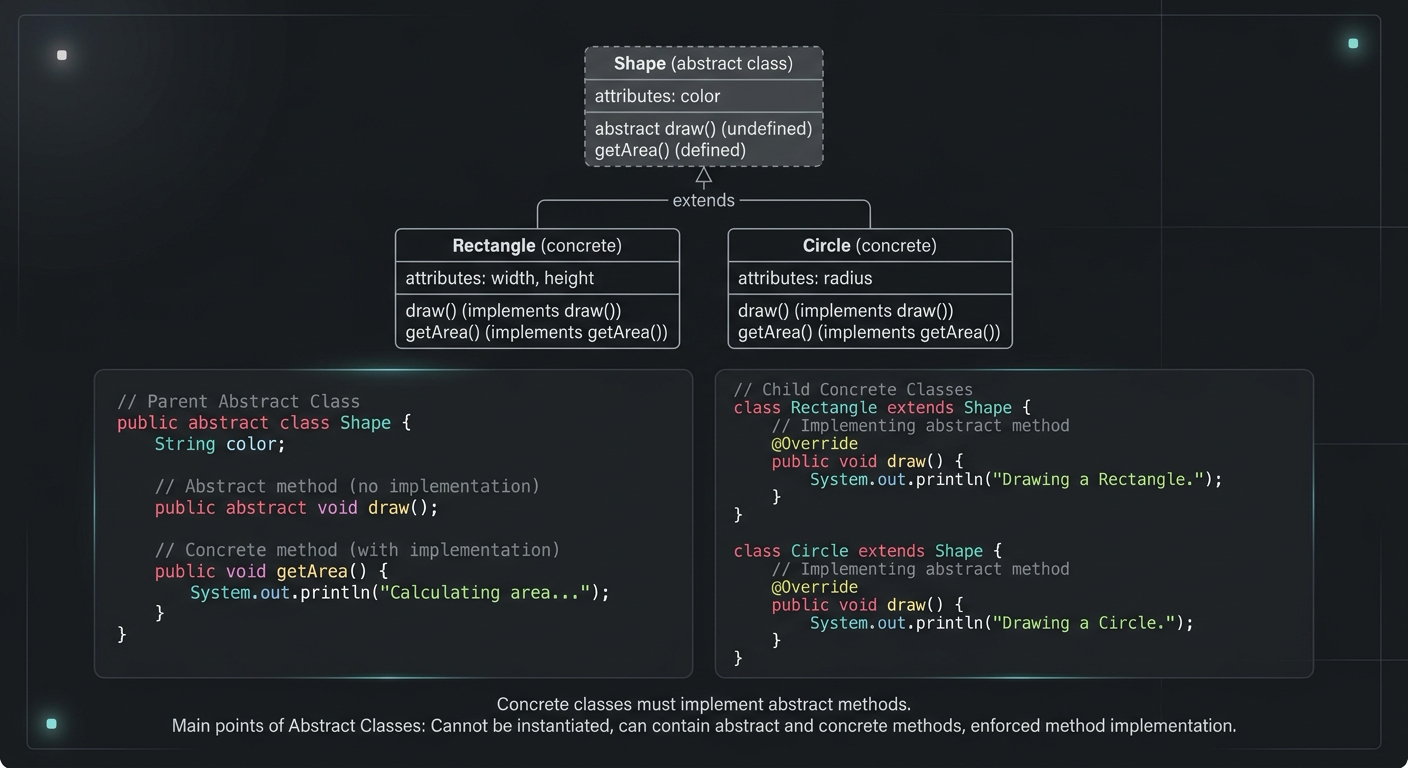
Abstract Class in Java (With Real-World Examples)
Abstract classes in Java are one of the most misunderstood OOP concepts. Here's a practical guide with real-world examples, code you can actually use, and the mistakes most devs make.
Your Career Transformation Starts Now
Join thousands of developers mastering in-demand skills with Amigoscode. Try it free today.